

Panini OLED display example script tutorial
Article by CaveDu Team
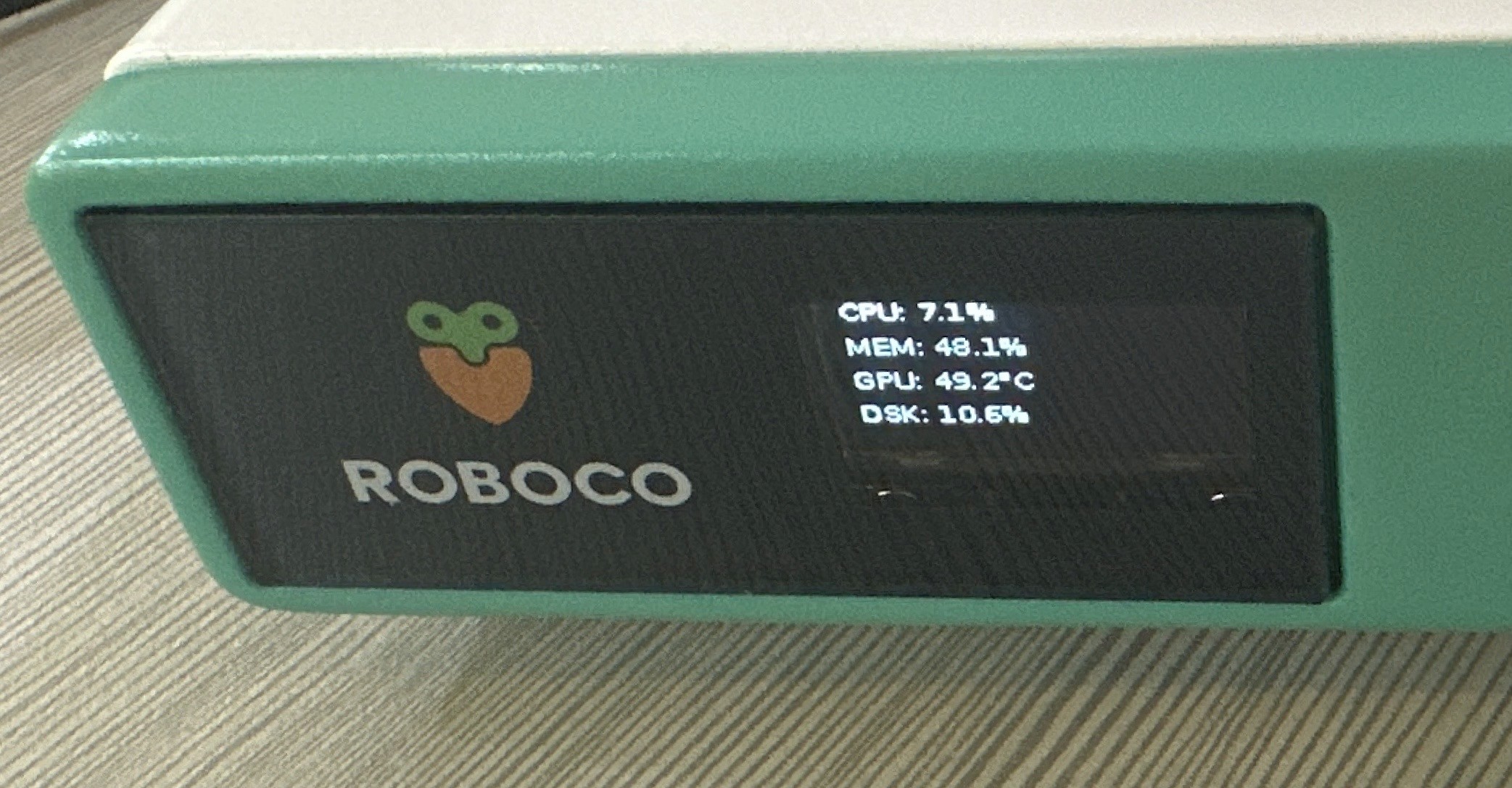
Original blog source : https://blog.cavedu.com/2025/12/22/orinnano_panini/
OLED Kit Library Installation Instructions:
First, install the libraries required for using the OLED display :
sudo apt install -y i2c-tools
sudo i2cdetect -y -r 7
sudo apt install -y python3-pip python3-smbus
pip3 install adafruit-circuitpython-ssd1306 psutil netifaces
sudo -H pip3 install --upgrade --force-reinstall jetson-gpio
sudo apt install -y i2c-tools
sudo i2cdetect -y -r 7
sudo apt install -y python3-pip python3-smbus
pip3 install adafruit-circuitpython-ssd1306 psutil netifaces
sudo -H pip3 install --upgrade --force-reinstall jetson-gpio
sudo apt install -y i2c-tools
sudo i2cdetect -y -r 7
sudo apt install -y python3-pip python3-smbus
pip3 install adafruit-circuitpython-ssd1306 psutil netifaces
sudo -H pip3 install --upgrade --force-reinstall jetson-gpio
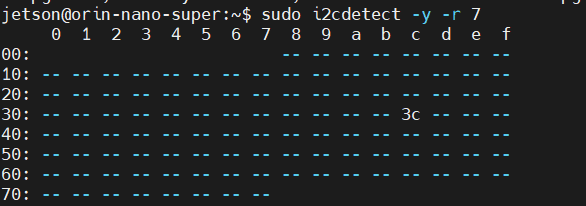
When you run sudo i2cdetect -y -r 7, the screen should display something like the image below. This indicates that the OLED wiring is correctly connected.
OLED Display Program
oled_sysinfo.py
Copy the following code to your Orin Nano and name the file oled_sysinfo.py.
import time
import subprocess
import board
import busio
from PIL import Image, ImageDraw, ImageFont
import adafruit_ssd1306
import psutil
import socket

# --- settings ---
# I2C Bus,Orin Nano 的 Pin 3,5
I2C_BUS = 7
OLED_ADDR = 0x3c

# CPU temperature path
CPU_TEMP_PATH = "/sys/class/thermal/thermal_zone1/temp"

# --- initialize I2C 和 OLED ---
try:
    i2c = busio.I2C(board.SCL, board.SDA)
    display = adafruit_ssd1306.SSD1306_I2C(128, 64, i2c, addr=OLED_ADDR)
    print("OLED display initialized successfully.")
except Exception as e:
    print(f"Error initializing I2C or OLED: {e}")
    exit()

# --- display clear ---
display.fill(0)
display.show()

# --- setup canvas ---
width = display.width
height = display.height
image = Image.new("1", (width, height))
draw = ImageDraw.Draw(image)

# --- load font ---
try:
    font = ImageFont.truetype(
        "/usr/share/fonts/truetype/dejavu/DejaVuSansMono.ttf", 12
    )
except IOError:
    font = ImageFont.load_default()

# ---------------------------------------------------------------------
# IP display:prioritize Wi-Fi → Ethernet → others
# ---------------------------------------------------------------------
def get_ip_address():
    wifi_ifaces = []
    eth_ifaces = []
    other_ifaces = []

    for iface, addrs in psutil.net_if_addrs().items():
        for addr in addrs:
            if addr.family == socket.AF_INET:
                ip = addr.address

                # 排除 loopback
                if ip.startswith("127."):
                    continue

                if iface.startswith(("wlan", "wlp")):
                    wifi_ifaces.append((iface, ip))
                elif iface.startswith(("eth", "en")):
                    eth_ifaces.append((iface, ip))
                else:
                    other_ifaces.append((iface, ip))

    if wifi_ifaces:
        iface, ip = wifi_ifaces[0]
        return f"WiFi IP: {ip}"
    elif eth_ifaces:
        iface, ip = eth_ifaces[0]
        return f"ETH  IP: {ip}"
    elif other_ifaces:
        iface, ip = other_ifaces[0]
        return f"IP: {ip}"
    else:
        return "IP: Not found"

# --- system info ---
def get_cpu_usage():
    cpu = psutil.cpu_percent(interval=None)
    return f"CPU Use: {cpu:05.2f}%"

def get_mem_usage():
    mem = psutil.virtual_memory()
    return f"RAM Use: {mem.percent:05.2f}%"

def get_cpu_temperature():
    try:
        with open(CPU_TEMP_PATH, 'r') as f:
            cpu_temp = int(f.read()) / 1000.0
        return f"CPU Temp: {cpu_temp:.1f}°C"
    except FileNotFoundError:
        return "CPU Temp: N/A"
    except Exception:
        return "CPU Temp: Err"

# --- main loop ---
print("Starting system monitor loop. Press Ctrl+C to exit.")
while True:
    try:
        # canvas clear
        draw.rectangle((0, 0, width, height), outline=0, fill=0)

        # get info
        ip_text = get_ip_address()
        cpu_temp_text = get_cpu_temperature()
        cpu_usage_text = get_cpu_usage()
        mem_usage_text = get_mem_usage()

        # OLED layout
        draw.text((0, 0), ip_text, font=font, fill=255)
        draw.text((0, 16), cpu_temp_text, font=font, fill=255)
        draw.text((0, 32), cpu_usage_text, font=font, fill=255)
        draw.text((0, 48), mem_usage_text, font=font, fill=255)

        # display
        display.image(image)
        display.show()

        time.sleep(1)

    except KeyboardInterrupt:
        print("\nExiting. Clearing display.")
        display.fill(0)
        display.show()
        break
    except Exception as e:
        print(f"An error occurred: {e}")
        time.sleep(5)
import time
import subprocess
import board
import busio
from PIL import Image, ImageDraw, ImageFont
import adafruit_ssd1306
import psutil
import socket

# --- settings ---
# I2C Bus,Orin Nano 的 Pin 3,5
I2C_BUS = 7
OLED_ADDR = 0x3c

# CPU temperature path
CPU_TEMP_PATH = "/sys/class/thermal/thermal_zone1/temp"

# --- initialize I2C 和 OLED ---
try:
    i2c = busio.I2C(board.SCL, board.SDA)
    display = adafruit_ssd1306.SSD1306_I2C(128, 64, i2c, addr=OLED_ADDR)
    print("OLED display initialized successfully.")
except Exception as e:
    print(f"Error initializing I2C or OLED: {e}")
    exit()

# --- display clear ---
display.fill(0)
display.show()

# --- setup canvas ---
width = display.width
height = display.height
image = Image.new("1", (width, height))
draw = ImageDraw.Draw(image)

# --- load font ---
try:
    font = ImageFont.truetype(
        "/usr/share/fonts/truetype/dejavu/DejaVuSansMono.ttf", 12
    )
except IOError:
    font = ImageFont.load_default()

# ---------------------------------------------------------------------
# IP display:prioritize Wi-Fi → Ethernet → others
# ---------------------------------------------------------------------
def get_ip_address():
    wifi_ifaces = []
    eth_ifaces = []
    other_ifaces = []

    for iface, addrs in psutil.net_if_addrs().items():
        for addr in addrs:
            if addr.family == socket.AF_INET:
                ip = addr.address

                # 排除 loopback
                if ip.startswith("127."):
                    continue

                if iface.startswith(("wlan", "wlp")):
                    wifi_ifaces.append((iface, ip))
                elif iface.startswith(("eth", "en")):
                    eth_ifaces.append((iface, ip))
                else:
                    other_ifaces.append((iface, ip))

    if wifi_ifaces:
        iface, ip = wifi_ifaces[0]
        return f"WiFi IP: {ip}"
    elif eth_ifaces:
        iface, ip = eth_ifaces[0]
        return f"ETH  IP: {ip}"
    elif other_ifaces:
        iface, ip = other_ifaces[0]
        return f"IP: {ip}"
    else:
        return "IP: Not found"

# --- system info ---
def get_cpu_usage():
    cpu = psutil.cpu_percent(interval=None)
    return f"CPU Use: {cpu:05.2f}%"

def get_mem_usage():
    mem = psutil.virtual_memory()
    return f"RAM Use: {mem.percent:05.2f}%"

def get_cpu_temperature():
    try:
        with open(CPU_TEMP_PATH, 'r') as f:
            cpu_temp = int(f.read()) / 1000.0
        return f"CPU Temp: {cpu_temp:.1f}°C"
    except FileNotFoundError:
        return "CPU Temp: N/A"
    except Exception:
        return "CPU Temp: Err"

# --- main loop ---
print("Starting system monitor loop. Press Ctrl+C to exit.")
while True:
    try:
        # canvas clear
        draw.rectangle((0, 0, width, height), outline=0, fill=0)

        # get info
        ip_text = get_ip_address()
        cpu_temp_text = get_cpu_temperature()
        cpu_usage_text = get_cpu_usage()
        mem_usage_text = get_mem_usage()

        # OLED layout
        draw.text((0, 0), ip_text, font=font, fill=255)
        draw.text((0, 16), cpu_temp_text, font=font, fill=255)
        draw.text((0, 32), cpu_usage_text, font=font, fill=255)
        draw.text((0, 48), mem_usage_text, font=font, fill=255)

        # display
        display.image(image)
        display.show()

        time.sleep(1)

    except KeyboardInterrupt:
        print("\nExiting. Clearing display.")
        display.fill(0)
        display.show()
        break
    except Exception as e:
        print(f"An error occurred: {e}")
        time.sleep(5)
import time
import subprocess
import board
import busio
from PIL import Image, ImageDraw, ImageFont
import adafruit_ssd1306
import psutil
import socket

# --- settings ---
# I2C Bus,Orin Nano 的 Pin 3,5
I2C_BUS = 7
OLED_ADDR = 0x3c

# CPU temperature path
CPU_TEMP_PATH = "/sys/class/thermal/thermal_zone1/temp"

# --- initialize I2C 和 OLED ---
try:
    i2c = busio.I2C(board.SCL, board.SDA)
    display = adafruit_ssd1306.SSD1306_I2C(128, 64, i2c, addr=OLED_ADDR)
    print("OLED display initialized successfully.")
except Exception as e:
    print(f"Error initializing I2C or OLED: {e}")
    exit()

# --- display clear ---
display.fill(0)
display.show()

# --- setup canvas ---
width = display.width
height = display.height
image = Image.new("1", (width, height))
draw = ImageDraw.Draw(image)

# --- load font ---
try:
    font = ImageFont.truetype(
        "/usr/share/fonts/truetype/dejavu/DejaVuSansMono.ttf", 12
    )
except IOError:
    font = ImageFont.load_default()

# ---------------------------------------------------------------------
# IP display:prioritize Wi-Fi → Ethernet → others
# ---------------------------------------------------------------------
def get_ip_address():
    wifi_ifaces = []
    eth_ifaces = []
    other_ifaces = []

    for iface, addrs in psutil.net_if_addrs().items():
        for addr in addrs:
            if addr.family == socket.AF_INET:
                ip = addr.address

                # 排除 loopback
                if ip.startswith("127."):
                    continue

                if iface.startswith(("wlan", "wlp")):
                    wifi_ifaces.append((iface, ip))
                elif iface.startswith(("eth", "en")):
                    eth_ifaces.append((iface, ip))
                else:
                    other_ifaces.append((iface, ip))

    if wifi_ifaces:
        iface, ip = wifi_ifaces[0]
        return f"WiFi IP: {ip}"
    elif eth_ifaces:
        iface, ip = eth_ifaces[0]
        return f"ETH  IP: {ip}"
    elif other_ifaces:
        iface, ip = other_ifaces[0]
        return f"IP: {ip}"
    else:
        return "IP: Not found"

# --- system info ---
def get_cpu_usage():
    cpu = psutil.cpu_percent(interval=None)
    return f"CPU Use: {cpu:05.2f}%"

def get_mem_usage():
    mem = psutil.virtual_memory()
    return f"RAM Use: {mem.percent:05.2f}%"

def get_cpu_temperature():
    try:
        with open(CPU_TEMP_PATH, 'r') as f:
            cpu_temp = int(f.read()) / 1000.0
        return f"CPU Temp: {cpu_temp:.1f}°C"
    except FileNotFoundError:
        return "CPU Temp: N/A"
    except Exception:
        return "CPU Temp: Err"

# --- main loop ---
print("Starting system monitor loop. Press Ctrl+C to exit.")
while True:
    try:
        # canvas clear
        draw.rectangle((0, 0, width, height), outline=0, fill=0)

        # get info
        ip_text = get_ip_address()
        cpu_temp_text = get_cpu_temperature()
        cpu_usage_text = get_cpu_usage()
        mem_usage_text = get_mem_usage()

        # OLED layout
        draw.text((0, 0), ip_text, font=font, fill=255)
        draw.text((0, 16), cpu_temp_text, font=font, fill=255)
        draw.text((0, 32), cpu_usage_text, font=font, fill=255)
        draw.text((0, 48), mem_usage_text, font=font, fill=255)

        # display
        display.image(image)
        display.show()

        time.sleep(1)

    except KeyboardInterrupt:
        print("\nExiting. Clearing display.")
        display.fill(0)
        display.show()
        break
    except Exception as e:
        print(f"An error occurred: {e}")
        time.sleep(5)
Run the oled_sysinfo.py program here to check whether the OLED display is working properly.
python3 oled_sysinfo.py
python3 oled_sysinfo.py
python3 oled_sysinfo.py
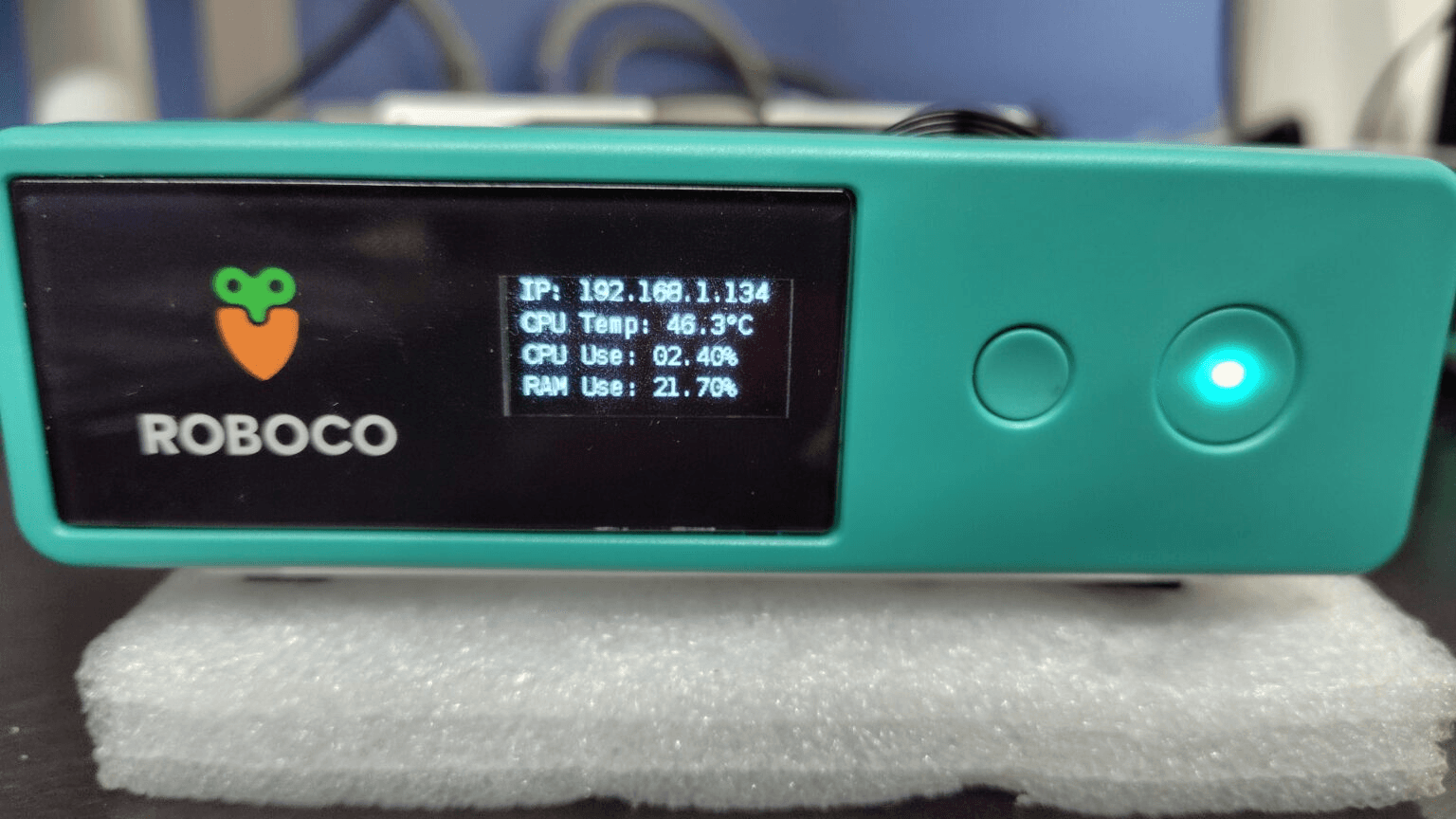
If the following screen appears, it means the program has executed successfully.
That's it ! Hope you enjoy your experience with Paninii !

